IN485DAI001R000 – Daikin to BACnet MS/TP Gateway for VRV and Sky Air
IN485DAI001R000 is a gateway enables full control of Daikin VRV and Sky Air units over BACnet MS/TP without software or external power.
- Stock: 5-7 days
- Brand: Intesis
- Model: IN485DAI001R000
Full design package: User manual, CE declaration, CAD, PDF, certificates and test reports
If you're preparing technical documentation or an installation design, you can receive a complete set of design materials for this model. This is a quick way to gather the required documents for audits, acceptance, or project documentation.
- Device User Manual
- CE Declaration of Conformity (EU Declaration of Conformity)
- Mechanical Drawings – CAD (STEP/DWG) or high-quality PDF
- Additional Certificates and Test Reports (if available for the model)
Daikin to BACnet MS/TP Gateway for VRV & Sky Air.
The IN485DAI001R000 gateway enables seamless, fully bi-directional communication between Daikin VRV and Sky Air Conditioner units and BACnet MS/TP networks. This compact and robust device allows direct wiring to the indoor unit, offering complete control over essential air conditioning parameters such as operating mode, fan speed, and temperature setpoint. In addition, it supports real-time monitoring of internal variables, system alarms, and fault indicators, ensuring consistent performance and rapid diagnostics within HVAC infrastructures.
IN485DAI001R000 – wiring topology and what “direct wiring to the indoor unit” means
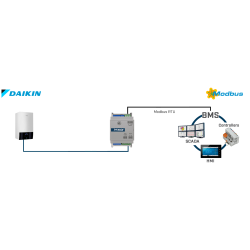
The gateway is designed for a simple, field-proven topology: Daikin indoor unit side (RC bus) ↔ IN485DAI001R000 ↔ BACnet MS/TP trunk (EIA-485). This direct indoor-unit connection is what enables not only HVAC control points (mode, fan speed, setpoint), but also monitoring data used by BMS teams for operations: AC internal variables, error indication, and a running hours counter (commonly used for filter maintenance control and service planning).
Commissioning approach: validate AC side first, then MS/TP transport
For fast start-up, treat the integration as two independent checks: (1) confirm the gateway is correctly wired to the Daikin indoor unit bus, then (2) validate the BACnet MS/TP fundamentals on the EIA-485 segment (line topology, A/B polarity consistency, correct termination). This stepwise method dramatically reduces commissioning time because most “no response / timeouts” cases originate from MS/TP transport settings rather than from the HVAC point mapping itself.
Thanks to the intuitive DIP-switch configuration, installation is both quick and efficient – no configuration software or external power supply is required. The device is designed for immediate deployment, streamlining integration with existing systems in building automation, commercial environments, and industrial facilities.
IN485DAI001R000 – “plug and set the DIP-SW”: what to lock down before you go live
The manufacturer positioning is clear: configuration is done from onboard DIP-switches, with a quick “plug and set” installation and no external power requirement. In practical BMS projects, your initial checklist typically includes: MS/TP baud rate matching on the trunk, a unique MS/TP MAC address on the segment, and a termination/polarization strategy that reflects the physical position of the device (end-of-line vs mid-line). Getting these three right prevents intermittent token issues and sporadic timeouts that can otherwise appear only under load.
BACnet MS/TP field notes: termination and biasing are not optional details
Because BACnet MS/TP runs over EIA-485, physical layer discipline is a stability requirement:
- Keep a line (daisy-chain) topology; avoid star wiring.
- Terminate the trunk only at the physical ends (avoid double termination).
- Keep A/B polarity consistent across all devices on the segment.
- Use a single, intentional bias point (polarization) per segment to prevent the line from floating.
- Define your SG/shield strategy site-wide; inconsistent grounding/shield bonding is a common cause of random MS/TP errors.
Key Features of the IN485DAI001R000 Gateway:
- Certified with the BTL mark for full BACnet interoperability
- Supports only BACnet MS/TP protocol for stable integration
- Onboard DIP-switch configuration for fast setup without software
- Plug-and-play installation – simply connect and set the switches
- No external power required – powered directly via the unit bus
- Simultaneous operation with original remote controller and BACnet
- Ultra-compact dimensions: 93 x 53 x 58 mm
- Flexible mounting: DIN rail, wall, or directly inside AC indoor unit
- Abstracts AC functions as standardized BACnet objects for easy BMS integration
- Occupancy-based energy optimization for cost reduction
- Monitoring of internal parameters, error codes, and runtime counters (e.g., filter maintenance)
BTL + fixed BACnet Objects: why this matters during point engineering
The BTL mark is an interoperability signal that helps reduce integration risk in mixed-vendor BACnet ecosystems. For the integrator, “abstraction as fixed BACnet Objects” is equally important: it allows repeatable point lists, standardized naming, and consistent trend/alarm templates across multiple sites, instead of re-engineering the mapping per project. This is especially useful when you deploy the same sequences (occupancy logic, setback schedules, maintenance alarms) in many buildings.
Occupancy function: typical safe integration pattern in BMS
The gateway includes an occupancy function intended to reduce HVAC energy costs (often one of the highest operating expenses in buildings). A common safe BMS pattern is to use occupancy to shift between comfort and economy operation (setpoint band + fan limits) rather than a hard OFF strategy, while still keeping local user control available via the remote controller. This usually achieves measurable savings without comfort complaints.
Technical Specifications:
Enclosure:
- Material: PC plastic, UL 94 V-0 compliant
- Dimensions: 93 x 53 x 58 mm (3.7 x 2.1 x 2.3")
- Color: Light grey (RAL 7035)
Terminal Wiring (Low Voltage Signals):
- Solid or stranded wires (with or without ferrule)
- 1 wire: 0.5 – 2.5 mm² (24 – 11 AWG)
- 2 wires: 0.5 – 1.5 mm² (24 – 15 AWG)
- 3 wires: Not allowed
Mounting Options:
- DIN rail
- Wall surface
- Inside AC indoor unit (depending on model)
Communication Ports:
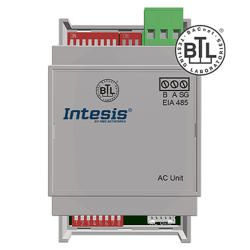
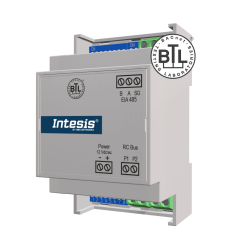
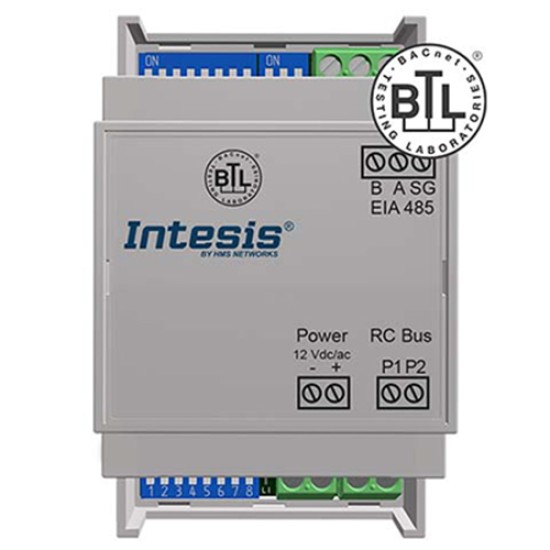
- BACnet MS/TP: 1 x EIA-485 terminal block (3-pin: B, A, SG) with 120 Ω termination and DIP-switch selectable polarization
- AC Unit: 1 x RC bus terminal block (2-pin: A, B)
Status Indicators:
- 2 x LED indicators (communication status)
DIP Switch Functions:
- SW1 – Gateway mode & baud rate selection
- SW2 – MAC address & temperature unit
- SW3 – Bus termination and polarization
Environmental Parameters:
- Operating temp: 0 to +70°C / 32 to 158°F
- Storage temp: -20 to +85°C / -4 to 185°F
- Humidity: 5% to 95%, non-condensing
Electrical Isolation:
- Isolation voltage: 1500 VDC
- Insulation resistance: ≥1000 MΩ
Compliance & Certifications:
- BACnet certified
- EMC directive 2014/30/EC
- Low voltage directive 2014/35/EC
- Standards: EN 61000-6-3, EN 61000-6-2, EN 62368-1
- RoHS 2 compliant (2011/65/EU)
Compatibility check before installation (recommended)
To minimize project risk, ensure the compatibility of IN485DAI001R000 with your exact Daikin AC model using the manufacturer’s HVAC compatibility resources (compatibility.intesis.com). This is the quickest way to avoid “perfect MS/TP wiring, wrong indoor unit family” scenarios during commissioning.
Focused answers for HVAC/BMS integrators: MS/TP wiring, DIP-switch setup, BTL, fixed objects, occupancy logic, and service monitoring.
? Does IN485DAI001R000 support BACnet IP, or only BACnet MS/TP? ▾
IN485DAI001R000 supports only BACnet MS/TP. It is designed for BACnet MS/TP over EIA-485, not for BACnet IP over Ethernet.
? How fast can I commission IN485DAI001R000 without any software? ▾
Commissioning is designed as “plug and set the DIP-SW”: wire the gateway to the Daikin indoor unit bus and the BACnet MS/TP EIA-485 trunk, then set the onboard DIP-switches for the required parameters. The device is described as not requiring configuration software and not requiring external power.
? My BMS cannot discover IN485DAI001R000 on BACnet MS/TP — what should I verify first? ▾
Start with MS/TP essentials: matching baud rate across the whole segment, a unique MS/TP MAC address, correct A/B polarity, and correct trunk termination. If the segment is unstable, check for double termination, missing/incorrect biasing (polarization), or inconsistent SG/shield strategy.
? How should I use the 120 Ω termination and selectable polarization mentioned for IN485DAI001R000? ▾
Terminate the EIA-485 trunk only at the physical ends of the MS/TP line; keep termination disabled for mid-line nodes. Use a single intentional bias point (polarization) per segment so the line does not float. This is standard good practice for stable token passing and fewer timeouts.
? Can IN485DAI001R000 be used while keeping the original Daikin remote controller active? ▾
Yes. The gateway supports simultaneous control of the AC unit by the manufacturer’s remote controller and BACnet MS/TP, which is useful when end users require local control while BMS supervises schedules and optimization.
? What can I monitor through IN485DAI001R000 besides basic HVAC commands? ▾
The gateway is described as enabling monitoring from BACnet including AC internal variables, error indication, and a running hours counter used for maintenance workflows (for example, filter maintenance control), alongside normal control points.
? How should I implement the occupancy function of IN485DAI001R000 to get real energy savings? ▾
Use occupancy to switch between comfort and economy operation (setpoint band and fan limitations) rather than hard OFF whenever possible. This approach typically reduces HVAC operating costs while preserving comfort and avoiding aggressive stop/start cycles.
? How do I confirm my exact Daikin indoor unit model is compatible with IN485DAI001R000? ▾
Use the manufacturer’s HVAC compatibility resources (compatibility.intesis.com) to validate the exact Daikin model family before installation. This prevents commissioning delays caused by selecting the wrong indoor unit family for the gateway.
Warranty: 36 months
.jpg)