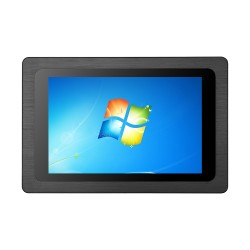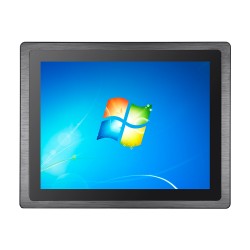









Passive cooling in IP65 panel PC – how does it work without a fan?

Equipment reliability, especially for devices used in industry and harsh environmental conditions, is a priority. One of the key solutions that is revolutionizing the durability of control hardware is passive cooling. And what does passive cooling and heat dissipation technology look like in devices such as an IP65 panel PCs? Find out why the lack of a fan is the greatest advantage of IP65 panel PCs.
Why does the sealing of an IP65 panel PC rule out ventilation openings?
The IP65 standard defines high resistance of a device to external factors such as dust and water exposure. More precisely:
6 means complete protection against dust ingress.
5 means protection against water jets directed at the enclosure from any side (unless the manufacturer clearly states IP65 front- this means only the front is sealed)
In commercial PC computers, cooling is based on air circulation. A fan draws cool air from outside and expels hot air through openings in the enclosure. In an industrial environment, where a panel PCs is often installed on food production floors with low temperatures, in dusty spaces, and in areas exposed to water splashes during pressure washing, this type of cooling solution would cause failures almost immediately. Dust, moisture, or oil particles would quickly lead to short circuits or overheating of the computer.
That is why an IP65 panel PC must have a fully closed, hermetic design. However, this creates a challenge for cooling the device. Because how do you get rid of the generated heat without any air circulation?
How does heat dissipation through the enclosure work in an IP65 panel PC?
Passive cooling, also called fanless, is based on the laws of thermodynamics, and more specifically on thermal conduction and natural convection. In a fanless panel PC, instead of a heatsink with a fan, a special heat-absorbing block is mounted on the processor, often made of copper or aluminum with high thermal conductivity. Heat pipes are also often used; these are tubes filled with a fluid that, by evaporating and condensing, rapidly transports thermal energy toward the enclosure.
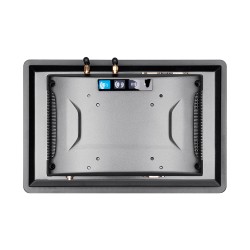
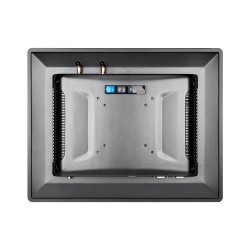
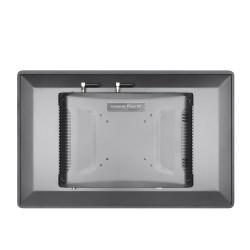
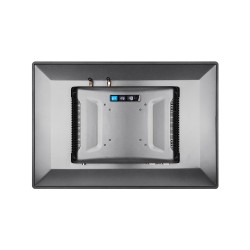
In IP65 panel PCs, the enclosure itself acts as the cooling system. It is typically made from aluminum castings or stainless steel. The back of the device often has characteristic ribbing (fins). The fins drastically increase the surface area of metal in contact with ambient air; heated aluminum transfers heat to the surrounding air, which becomes lighter and rises, making room for cooler air masses.
To avoid “air gaps” between components and the enclosure, advanced thermally conductive materials are used. Thanks to them, energy transfer is nearly lossless.
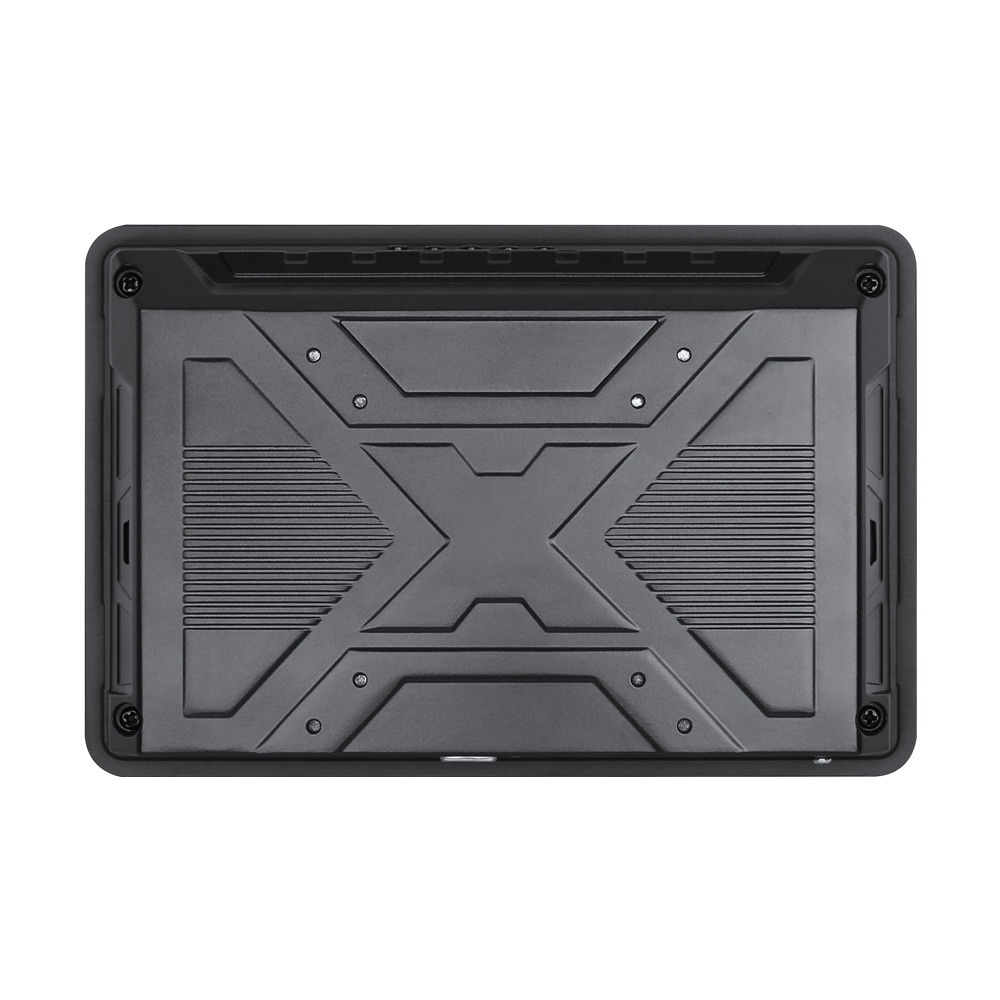
Rear enclosure detail: reinforced back plate with an “X” rib structure, corner fasteners, and ribbed side sections supporting heat dissipation.
What are the benefits of using a fanless IP65 panel PC?
By choosing an IP65 panel PC with passive cooling, you gain a range of benefits that go beyond water resistance. The absence of moving parts makes fanless computers much more resistant to vibrations and shocks, which is, for example, crucial when mounting directly on production machines.
| Feature | Active cooling (fan) | Passive cooling (IP65) |
|---|---|---|
| Interior cleanliness | Draws dust and dirt into the enclosure | Completely eliminates internal contamination |
| Failure rate | Moving parts wear out | No mechanical parts – higher MTBF |
| Noise | Generates noise | Completely silent operation |
| Maintenance | Requires cleaning filters | Maintenance-free device |
Passive cooling is one of the better engineering applications that makes it possible to enclose powerful electronics in a sealed enclosure resistant to water splashes and dust. An IP65 panel PCs uses its metal structure to dissipate heat, eliminating the weakest link in computer systems, which is the fan. Thanks to this, we get hardware that can operate for years in dust, moisture, and lubricants without losing performance—only gaining.