








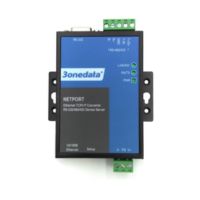
What Is an Industrial Router and How Is It Different from a Home LTE/5G Router?
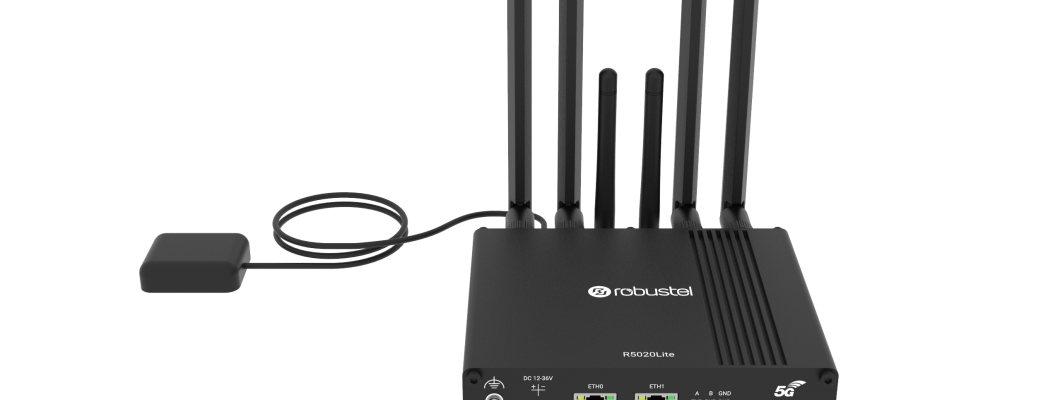
The phrase industrial router shows up everywhere today: in industrial automation, in BMS, in maintenance, in water and wastewater, energy, construction, and transport. And it makes perfect sense – when a site is distributed, there’s no fiber, and you need a stable connection for control, monitoring, or service, LTE/5G is often the fastest way to bring remote access online.
The catch is that a “regular router” from a consumer store often works only until the first signal drop, mobile network reset, IP address change, carrier limitations (CGNAT), or the first attempt to build a secure tunnel. In industrial environments, you need predictability: continuity, redundancy, environmental robustness, and security. That’s exactly why industrial routers exist.
What is an industrial router
An industrial router is a network device designed for technical environments (control cabinets, outdoor sites, critical infrastructure, production halls). It connects a local network (LAN) to a wide area network (WAN) – most commonly through LTE or 5G, but also via Ethernet, fiber, or wired carrier links. Its job is not only to “provide internet,” but to deliver: stable transmission, remote service access, security, and communication continuity even when network or site conditions are challenging.
In practice, an industrial router is often part of OT/IT infrastructure – linking PLCs, HMIs, data loggers, meters, HVAC controllers, protocol gateways, cameras, or IoT sensors to a supervisory system (SCADA/BMS/EMS) or to a service server. It runs continuously, is prepared for link outages, carrier changes, and radio signal “shocks,” and it offers features you typically won’t find in home routers: Dual SIM, failover, watchdog, VPN, routing policies, firewalling, event logging.
Industrial router vs home router – key differences
The simplest comparison: a home router is designed for user convenience, while an industrial router is designed for continuous operation and control. At home, it’s about Wi-Fi, looks, a mobile app, and “plug and play.” In automation, it’s about making sure that after months of operation the router doesn’t “freeze” on a Friday at 11 PM, but restores connectivity on its own, switches to a backup path, and still lets you securely reach the PLC through VPN.
Key features of industrial routers that really matter
“Industrial” does not just mean a metal housing. What matters most is functionality that protects communications in real automation scenarios: power loss, weak signal, base-station resets, changing network parameters, carrier limitations, and the need for secure remote access to OT devices.
1) LTE/5G connectivity designed for 24/7 operation
An industrial router is built for stable mobile WAN: it handles fluctuating coverage better, offers more advanced profile settings (APN), often supports external antennas, and provides diagnostics that help identify whether an issue is radio-related, SIM-related, or routing-related.
2) DIN-rail mounting and control-cabinet integration
In automation, order and serviceability matter: industrial routers are typically cabinet-ready (DIN rail), provide stable power terminals, clear status LEDs, and often offer signal I/O (e.g., to alarm on link status) – depending on the model and device class.
3) OT-oriented networking: routing, policies, VLAN, firewall
OT networks are not about “internet for a laptop,” but traffic between devices: PLC ↔ SCADA, meters ↔ EMS, BMS ↔ cloud, remote service ↔ controller. That’s why features like firewall rules, forwarding, static routing, subnet isolation, and in more complex projects segmentation (VLAN) and precise access policies are so important.
4) Diagnostics and “self-healing” connection behavior
In many deployments, the biggest cost isn’t hardware, but downtime and service trips. Industrial routers include mechanisms that reduce them: link health-checks, automatic modem restarts, watchdog, event logging, and alerts when link quality degrades. That’s the difference between “works sometimes” and “works predictably.”
Dual SIM, failover and VPN – why it matters in practice
Three terms come up most often when someone is looking for an industrial router: Dual SIM, WAN failover, and VPN. It’s worth understanding them plainly, without marketing, because they determine whether the connection will be stable and maintainable for years.
Dual SIM
Dual SIM means the router can work with two SIM cards (most commonly in a switched mode). Why? Because a mobile network outage, local BTS congestion, or carrier maintenance can cut a site off. A second SIM from a different carrier provides real redundancy – especially where remote access is critical (water utilities, pumping stations, treatment plants, distributed energy sites, HVAC in unattended buildings).
WAN failover
Failover is an automatic WAN switching mechanism when the primary link stops working or drops below acceptable parameters. In industrial routers, failover is often tied to a “health-check” (e.g., testing reachability of hosts/routes), and when the primary link returns, the router can switch back to the preferred path. Properly configured failover means less downtime and fewer “it’s not working” calls.
VPN
VPN is key in automation because it lets you connect to OT devices without exposing them to the public internet. Instead of opening ports, you build a tunnel (an encrypted channel) through which service teams or supervisory systems can reach PLCs, HMIs, or protocol gateways as if they were on the same network. This is often the safest and most predictable method for remote access – especially where control, auditing, and reduced attack surface matter.
Use cases in automation, BMS and SCADA – where an industrial router adds the most value
An industrial router is especially useful where a site is distributed, there is no wired infrastructure, or the cost of bringing it in is unjustified. In practice, LTE/5G routers appear in hundreds of scenarios, but a few come up most often:
- Remote PLC/HMI service – controller access, log review, updates, diagnostics without a trip.
- SCADA for distributed sites – pumping stations, treatment plants, tanks, measurement stations.
- BMS and HVAC – remote supervision of air conditioning, air handling units, energy meters, alarms.
- Monitoring and telemetry – data from sensors, data loggers, IoT gateways, measurement systems.
- Temporary installations – construction sites, technical containers, fast deployments without a fixed line.
- Transport and infrastructure – devices on the move or in harsh locations where robustness and failover matter.
If security requirements apply (service-only access, encryption, subnet restrictions), an industrial router stops being “optional” and becomes a standard architectural component.
What to watch out for in LTE/5G industrial deployments
Even the best router can’t “override” radio physics and carrier policies. That’s why, when designing LTE/5G connectivity for automation, it’s worth walking through a few checkpoints. They most often decide whether a deployment is stable and trouble-free.
Signal and antennas: don’t guess, measure
“Signal bars” are not enough. What matters is signal quality and stability over time. If the router sits inside a metal cabinet or in a technical basement, an external antenna often makes a bigger difference than switching carriers. In many sites, the antenna – and how it’s routed outside – is what decides whether LTE/5G is “barely working” or stable year-round.
Public IP, CGNAT and remote access
In mobile networks you’ll often hit CGNAT, which makes inbound access to on-site devices difficult. This is not a router flaw – it’s how the carrier network works. In such cases, the safest and most reliable approach is VPN (outbound tunnel), not random port forwarding.
Redundancy: a second carrier is often “insurance” for the site
If the site is critical, consider Dual SIM with different carriers and a sensible failover policy. In practice it’s not about “higher speed,” but about keeping the system reachable even during outages or network congestion. WAN redundancy is one of the simplest ways to reduce downtime risk.
Security and best practices – a practical approach
An industrial router is the “gateway” to your OT network. If you treat it like a home device (open ports, simple password, no segmentation), risk goes up. The good news is that in most projects a few basic rules significantly improve security.
- Prefer VPN instead of exposing OT services to the internet.
- Restrict access with firewall rules to specific IPs/subnets and only required services.
- Segment networks (separate OT from IT) when the scenario calls for it.
- Passwords and accounts – unique, strong, ideally with limited privileges.
- Updates and change control – plan service windows, don’t patch “live”.
- Monitoring – logs and alerts help catch issues before they become outages.
If you need secure remote access to controllers, start with a simple question: who needs to connect, from where, and to what. That determines VPN requirements, routing, and access policies. It’s faster and safer than “adding security” at the end.
When an industrial router truly makes sense – and when a simpler option is enough
An industrial router is the best choice when the cost of downtime or service trips exceeds the price difference of the device. If a site is critical, distributed, unattended, and you need remote access, features like VPN, Dual SIM, and failover pay for themselves quickly.
On the other hand, if connectivity is only auxiliary, the site is easy to reach, and downtime risk is low, a simpler solution may be sufficient. The key is not to confuse “works in a quick test” with “will run reliably for years.” In automation, stability and security are what decide whether a deployment is truly successful.
FAQ – the most common questions about industrial routers
Summary: an industrial router is about stability, security, and predictability
An industrial router is not “a more expensive home router.” It’s an infrastructure component that delivers stable LTE/5G connectivity, secure remote access, and redundancy – exactly where downtime is costly and field service is difficult. If your goal is reliable OT, Dual SIM, failover, and VPN stop being extras and become the foundation of the design.
In the next articles, we’ll expand on selection criteria (LTE/5G, VPN, Dual SIM, failover) and practical redundancy scenarios. If you already want to choose a router for a specific site – message us and we’ll recommend an option based on your requirements.