
























































What is Modbus RTU – how does it work on RS-485 and when to use Modbus gateways?

Modbus RTU is one of the most common communication protocols in industrial automation, power engineering, and BMS. If you have ever integrated energy meters, HVAC controllers, VFDs, process sensors, or PLCs over RS-485, there is a good chance those devices were “talking” in Modbus RTU.
In this article, we break Modbus RTU down into practical components: how Modbus RTU differs from Modbus TCP, what an RTU frame looks like, why CRC matters, how to approach RS-485 wiring and register maps, and when a Modbus gateway (gateway) is useful in practice – for example, to connect Modbus RTU to another network or push data up to a supervisory system.
- Modbus RTU – definition and its place in the Modbus family
- How Modbus RTU works on RS-485
- Transmission parameters: speed, parity, stop bits
- RS-485 wiring for Modbus RTU: topology, termination, shield
- Modbus register map: coils, inputs, and registers
- Why Modbus RTU is still popular
- Typical Modbus RTU problems and how to avoid them
- Modbus gateways: when you need a gateway for Modbus RTU
- Deployment scenarios: industrial automation, BMS, meters, HVAC
- Modbus RTU deployment checklist
- FAQ: most common questions about Modbus RTU
- Summary
Modbus RTU – definition and its place in the Modbus family
Modbus is an open communication standard designed for simple reading and writing of process data. In practice, Modbus is a “language” for exchanging values such as temperatures, pressures, input/output states, energy counters, controller setpoints, alarms, or VFD parameters.
Within the Modbus family, you will most often encounter three variants:
- Modbus RTU – a binary form of communication usually on RS-485 (sometimes RS-232), very common in the field.
- Modbus ASCII – an older, text-based framing format (easier to inspect “with the naked eye,” but less efficient).
- Modbus TCP – Modbus carried over Ethernet (TCP/IP), typical for industrial networks and IT/SCADA integration.
If you are interested in a typical two-wire integration inside a control cabinet, with many devices on one line, then Modbus RTU is the most common choice – because it matches RS-485 perfectly: it is simple, inexpensive to implement, and runs reliably in industrial environments.
How Modbus RTU works on RS-485
Modbus RTU is a master–slave protocol (in newer terminology: client–server). This means one side initiates communication (master/client), and subordinate devices (slave/server) respond to requests. In a classic RS-485 setup, many slave devices are connected in parallel to one bus, and the master polls them cyclically.
Device addressing (slave ID)
Each device in Modbus RTU has its own address (most often 1–247). This is critical: if two devices share the same address, they will start responding at the same time, which on RS-485 ends in collisions, CRC errors, and “random” network behavior. A good practice is to maintain a simple address table in the cabinet or site documentation.
RTU frame structure: function, data, and CRC
Communication happens through binary frames. In simple terms: the master sends a request to a specific address, providing a function code (what it wants to do) and data (e.g., register number and quantity). The slave responds with a return frame, usually with data or a write confirmation.
Data integrity is checked by the CRC (Cyclic Redundancy Check). It is a practical shield against interference: if a device receives a frame with an invalid CRC, it simply discards it. From a diagnostics perspective: frequent CRC errors signal wiring, shielding, grounding, termination, or EMC interference issues.
Timing in Modbus RTU: why gaps matter
Modbus RTU distinguishes frames also by time: it requires characteristic idle gaps (silence) between transmissions. That is why, in practice, stability depends not only on “what you send,” but also on how fast and at what interval. If devices have long response delays or the master polls too aggressively, the risk of timeouts, frame overlap, and errors increases.
Transmission parameters: speed, parity, stop bits
In Modbus RTU, the frames are only half the success. The other half is matching serial port settings across all devices on the line: baud rate (speed), parity, the number of data bits, and stop bits. If even one element differs, communication will be “dead” or seem to work only sporadically.
- Speed: typically 9600, 19200, 38400, 57600, 115200 bps (the faster, the more sensitive to line quality).
- Parity: most often Even (E) or None (N). You will often see settings like 8E1 or 8N1.
- Timeout: the waiting time for a response – it must account for slave processing time and bus load.
In practice, if the network is long or “noisy” (VFDs, contactors, welders), it is safer to reduce the baud rate and improve EMC conditions than to “push” 115200 bps over a random cable without termination.
RS-485 wiring for Modbus RTU: topology, termination, shield
RS-485 is a differential transmission that likes order. Most “weird” Modbus RTU problems come from the fact that the bus was built like an alarm system: stars, 20-meter branches, no termination, shield connected randomly. It can often be fixed, but it is easier to follow a few rules from the start.
Topology: daisy chain (line) instead of a star
The best RS-485 topology is a linear bus (daisy chain). A star causes signal reflections, and long stubs can kill communication at higher speeds. If you must split, consider segmentation or intermediate devices (e.g., repeater/gateway) instead of a “spider web” of cables.
Termination and line biasing
In a typical RS-485 bus, you terminate the ends of the line (most often with a 120 Ω resistor at both ends). This reduces reflections and stabilizes the signal. Additionally, biasing (bias resistors) is often used to ensure the line has a defined idle state and does not “float” in interference.
Shield, ground, and galvanic isolation
A cable shield helps, but only if it is grounded sensibly (depending on the site: usually single-point or via intermediate elements to avoid ground loops). With different potentials between cabinets (long routes, different power supplies), a big difference comes from galvanic isolation of the RS-485 interface – it protects against surges and reference “floating.”
Modbus register map: coils, inputs, and registers
Modbus RTU is not “self-documenting.” It is a transport protocol that carries numbers. To know which register means what, you need the register map from the device documentation. And this is exactly where many integration misunderstandings occur.
- Coils – R/W bits, typically control (ON/OFF).
- Discrete Inputs – read-only bits, typically input states.
- Holding Registers – 16-bit R/W, most often setpoints and parameters.
- Input Registers – 16-bit read-only, most often measurements.
The classic problem: some manufacturers describe registers using the “40001” convention, others as “0”, “1” or “40100”, and others mix offsets. On top of that, there is byte order (endianness) and scaling (e.g., temperature 235 means 23.5°C). A good practice: always test a few points from the register map and confirm that the values make physical sense before you “go into hundreds of variables.”
Why Modbus RTU is still popular
From an engineering perspective, Modbus RTU wins with pragmatism:
- Simplicity – easy to commission and diagnose (RS-485 sniffer, master logs, simple tests).
- Scale – many devices on one bus, without switches and IP addressing.
- Cost – RS-485 is inexpensive, and Modbus RTU implementations are ubiquitous.
- Compatibility – meters, VFDs, controllers, building automation: it’s “everywhere.”
- Robustness – well-built RS-485 and sensible settings can run for years without touching.
Of course, Modbus RTU has limitations (no security mechanisms, no “auto-discovery,” risk of register map errors), but in many applications its simplicity is an advantage, not a drawback.
Typical Modbus RTU problems and how to avoid them
Below is a list of faults that appear most often in real deployments. The good news: most of them can be eliminated without “magic” if you approach them methodically.
- Duplicate slave address – symptoms: random responses, CRC errors, “sometimes it works.”
- Wrong port parameters (e.g., 9600 8E1 vs 19200 8N1) – symptoms: 100% no communication.
- No termination / wrong topology – symptoms: errors at higher speed or on longer runs.
- EMC interference – symptoms: CRC errors increasing when VFDs, contactors, motors are running.
- Overly aggressive polling – symptoms: timeouts, “missing” responses, device overload.
- Register map issues – symptoms: nonsense values, “shifted” registers, wrong scaling.
The most practical diagnostic strategy is narrowing down: one master + one device, a short cable, known-good parameters, and only then adding more slaves and extending the bus. If the problem returns on a specific segment, it is almost always about line physics (wiring/shield/termination/grounding), not “bad Modbus.”
Modbus gateway: when you need a gateway for Modbus RTU
At some point, the RS-485 bus alone is no longer enough, because Modbus RTU data needs to be: moved to Ethernet, integrated with another protocol, connected to SCADA/BMS, split into segments, or made available remotely. That’s when a Modbus gateway (gateway) comes in – a device that “translates” or “bridges” Modbus RTU into another network.
Most common reasons to use Modbus gateways
- Modbus RTU ↔ Modbus TCP – when you want to read RS-485 devices from an Ethernet-based system.
- BMS/SCADA integration – when the supervisory system uses a different network standard.
- Segmentation and stability – when the bus is long, “noisy,” or has too many devices.
- Data unification – when different vendors use different register maps and you want to “normalize” them on one side.
- Remote access – when you need to view data safely without connecting directly to RS-485 on site.
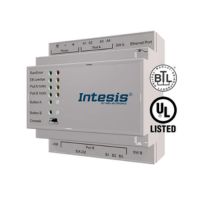
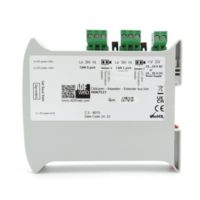
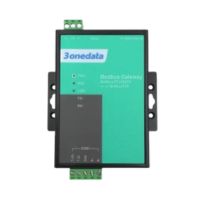
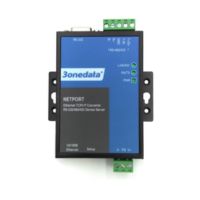
If you are looking for a concrete example device for working with Modbus RTU over RS-485, see: Modbus gateway GW1101-1D-RS-485 . It is a good starting point when your goal is an orderly integration of RS-485 devices and moving data into the world of supervisory systems.
If you have many devices on RS-485 and want to read them from Ethernet or a BMS/SCADA system, a Modbus gateway is usually the simplest route to a stable integration without “manual” re-cabling and without the risk of a messy bus.
Deployment scenarios: industrial automation, BMS, meters, HVAC
Modbus RTU is “universal,” but you see it best in specific scenarios:
1) Energy meters and sub-metering in commercial buildings
Energy meters often expose registers with active/reactive power, energy, voltages, and currents. Modbus RTU provides a simple, repeatable readout. In practice, the key factors are correct scaling, polling interval selection, and a stable RS-485 bus.
2) HVAC and BMS: AHUs, controllers, sensors, VFDs
In HVAC, you will encounter Modbus RTU in controllers, dampers, pumps, VFDs, and sensors. Note: here, what often “kills” a system is not the protocol but wiring run in parallel with motor power, as well as lack of isolation – which is why EMC and shielding are critical.
3) Industrial automation: simple field devices
In manufacturing, Modbus RTU is typical where cost and robustness matter: simple I/O modules, scales, meters, flowmeters, process sensors. If you integrate many devices from different brands, the key becomes a consistent register addressing convention and consistent signal naming in SCADA.
Modbus RTU deployment checklist
If you want to get Modbus RTU running quickly without “ghost hunting,” this checklist usually saves the most time:
- Slave addresses: unique, documented, labeled on the schematic.
- Port parameters: speed, parity, stop bits – identical across the whole line.
- Topology: linear bus, minimal stubs.
- Termination: resistors at the ends, not “everywhere.”
- Shield and grounding: a sensible reference point, no ground loops.
- Register map: confirm offsets, scaling, and byte order.
- Polling: reasonable interval and timeout, without overloading slaves.
- Integration plan: if data needs to go further (Ethernet/BMS/SCADA) – consider a Modbus gateway.
FAQ: most common questions about Modbus RTU
Does Modbus RTU work only on RS-485?
Most often yes, but Modbus RTU can also run on RS-232; the key is serial transport, not a specific physical standard.
How many devices can be connected to one Modbus RTU bus?
It depends on RS-485 transceivers and line loading, but in practice route length, baud rate, and wiring quality also matter.
What do CRC errors mean in Modbus RTU?
It indicates frames are being corrupted – usually due to interference, wrong termination, star topology, or issues with shielding or grounding.
Why am I reading “weird” values from registers?
Most often the cause is an incorrect register address offset, improper scaling, or a different byte/word order than the device documentation.
When is a Modbus gateway needed?
When you want to bring RS-485 data to Ethernet or integrate Modbus RTU with a supervisory system, segment the bus, or simplify integration.
Modbus RTU vs Modbus TCP – which one should I choose?
RTU is typical for field-level RS-485, while TCP is for Ethernet; both are often used together, connected via a Modbus RTU ↔ Modbus TCP gateway.
Summary
Modbus RTU is a proven RS-485 communication standard that wins with simplicity and compatibility. If you keep addresses and transmission parameters consistent and take care of the “bus physics” (topology, termination, shielding, EMC), you get stable communication for reading and control in automation, power engineering, and BMS.
And when you need to move data further (Ethernet, SCADA/BMS, integration with another protocol) or organize integration of many devices, the most sensible next step is usually a Modbus gateway. See a concrete RS-485 option: Modbus gateway GW1101-1D-RS-485 .
Tell us what devices you’re integrating (how many slaves, RS-485 length, transmission parameters, which supervisory system), and we’ll propose a sensible architecture and integration components.
Go to Modbus gateway GW1101-1D-RS-485-P1-250x250h.png "GW1101-1D(RS-485) - Industrial Modbus RTU / ASCII gateway to Modbus TCP")
-3-250x250w.png "GW1101-1D(RS-485) - Industrial Modbus RTU / ASCII gateway to Modbus TCP")