















































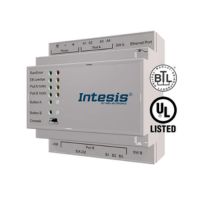









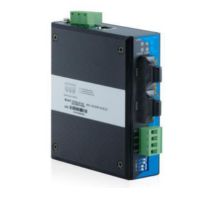
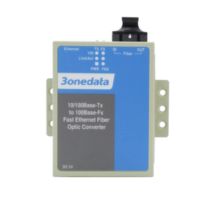
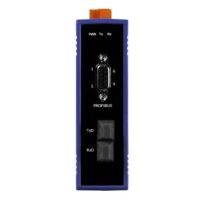

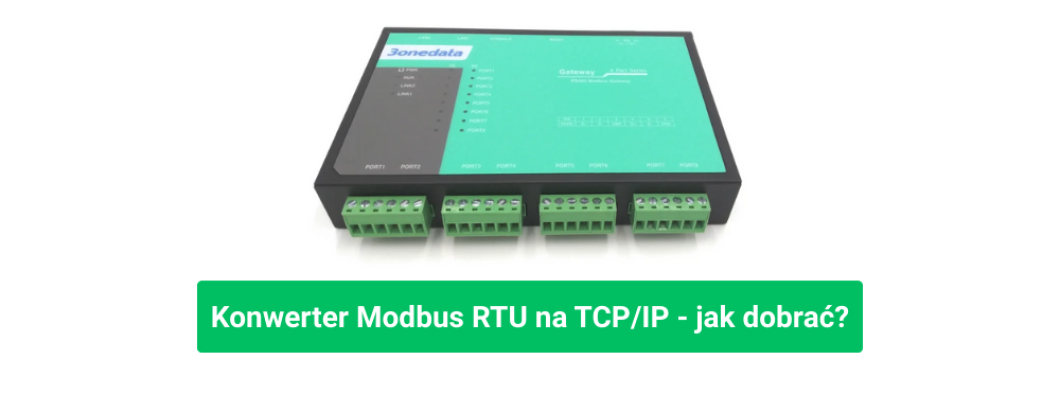
Modbus RTU to TCP/IP Converter – multi-port gateways that connect serial buses with Ethernet
Why a Modbus RTU to TCP/IP converter is essential for modern automation
Across factories and buildings, hundreds of devices still communicate over serial RS-232 or RS-485 lines using Modbus RTU or ASCII. Meanwhile, supervisory and analytical systems—SCADA, BMS, cloud platforms—speak Ethernet and Modbus TCP/IP. A Modbus RTU to TCP/IP converter(Modbus gateway) becomes the bridge between these worlds, enabling digital transformation without replacing proven field equipment.
Today’s deployments rely on multi-port gateways (1, 2, 4 or 8 RS-232/RS-485 ports). They separate networks by zone or process line, yet expose a single IP address for management. The result: faster commissioning, simplified maintenance, and smooth migration from legacy RTU to Ethernet.
How a Modbus RTU ↔ TCP/IP gateway works and where it fits best
The gateway captures Modbus RTU/ASCII frames from serial interfaces and maps them into Modbus TCP over Ethernet and vice versa. Communication is transparent—applications see the devices as native TCP nodes without code changes.
- SCADA/BMS: central meter reading for energy, heat and water without re-cabling RS-485 networks
- HVAC: connect temperature, CO₂ and humidity sensors to IP-based controllers
- Production: aggregate data from drives, I/O modules and sensors into one Ethernet channel
- Retrofits: add Ethernet visibility to existing RTU lines without touching end devices
Flexible operating modes
Industrial gateways support multiple roles: RTU Master (RTU master → TCP slave), RTU Slave (TCP master → RTU slave) and ASCII equivalents. Advanced models add Slave ID mapping, priority management for multiple masters and “smart” cyclic polling to reduce network load.
Multi-port architecture (1-8 RS-232/RS-485) for organized networks
Each serial port can run its own baud rate, parity and timeout policy. In large plants, 4- or 8-port versions cut cabling and power supplies while segmenting devices for clarity and troubleshooting. Each bus is isolated to avoid cross-interference.
Network layer: Dual Ethernet and redundant links for reliability
Dual Ethernet ports provide either Single IP (active/backup redundancy) or Dual IP (two VLANs/subnets with unique MACs). This enhances availability and simplifies traffic separation between operations and maintenance networks. DHCP/BOOTP and manual IP/DNS settings make integration straightforward.
Security and remote management
Administrators can enable or disable management services (HTTPS, HTTP, SSH, Telnet) per interface, assign user roles and apply IP/MAC filters. Such granularity supports modern OT security policies and least-privilege access.
Diagnostics and alerting
Effective troubleshooting requires tools like ping, traceroute, local and remote syslog (TCP/UDP), plus SNMP monitoring and email notifications for events such as firmware upgrade or config change. These functions shorten MTTR and enable predictive maintenance.
Intelligent mapping and polling that save time
Smart features like Slave ID Mapping, Priority Control and Automatic Route detect and optimize communication paths without middleware. Periodic polling with caching and expiry reduces load on the SCADA client while keeping data fresh.
Serial configuration checklist
- Set common baud rate, parity and stop bits for each RS-485 bus.
- Use termination resistors and follow bus topology rules.
- Apply shielded cables and galvanic isolation in noisy areas.
- Monitor response times and adjust timeouts and retries accordingly.
Deployment scenarios – from single floor to campus scale
1) One plant, four lines – one 8-port gateway
Each line has its own RS-485 bus with 20–30 devices. An 8-port gateway connects them to one IP endpoint. SCADA sees a single Modbus TCP server, cutting points of failure and simplifying control.
2) Office building – BMS upgrade without meter replacement
Legacy energy meters communicate over RTU. A 2- or 4-port gateway exposes them as Modbus TCP for the BMS. Dual IP keeps operations and service traffic separate while ensuring redundant Ethernet uplink.
3) Distributed campus – SNMP and syslog as health sensors
Dozens of gateways spread across buildings send SNMP traps and syslog entries to a central monitor. Email alerts for firmware or configuration changes enable real-time oversight and prevent unexpected downtime.
Selecting the right gateway – a quick engineer’s guide
- Serial ports: count devices and leave room for growth (4- or 8-port is often worth it).
- Modes & mapping: check for RTU/ASCII Master/Slave, ID mapping, priority, smart polling.
- Ethernet: Single/Dual IP, redundancy, VLAN support.
- Security: HTTPS/SSH, user roles, IP/MAC filters, event logs.
- Diagnostics: ping, traceroute, syslog, SNMP, email alerts.
- Environment: galvanic isolation, EMC protection, watchdog, temperature range.
Common mistakes to avoid
- Unstructured addressing: standardize Slave IDs before expanding your network.
- Overloaded bus: split devices across ports to maintain response time.
- No shielding or isolation: leads to frame errors in noisy zones.
- No monitoring: without SNMP/syslog you learn about issues only after a shutdown.
Configuration ergonomics that save hours
A modern web GUI offers clear Device Information (model, firmware, uptime, CPU/RAM), simple Network Settings (DHCP/BOOTP/manual), easy Single/Dual IP switching, and intuitive Protocol Settings (Modes, Slave ID Map, Priority, Smart Polling). Backup/restore and event-logged firmware updates make lifecycle management predictable.
Operational security – access, time and consistency
Enable only necessary protocols (HTTPS/SSH) and disable Telnet or unused services. Assign roles and limit access by IP/MAC. Synchronize time via NTP to keep event logs consistent across the plant.
Engineer’s FAQ
Does the gateway forward all Modbus traffic transparently?
Yes – communication is transparent. Performance depends on the number of devices per bus, baud rate and timeouts. Intelligent polling offloads the SCADA client by handling cyclic reads locally.
Why use Dual IP if I have only one VLAN?
Dual IP not only adds redundancy but also segregates management from production traffic. When your network expands, you’re already ready—no hardware change needed.
Do I need custom middleware for mapping?
No. Built-in features like Slave ID Map, Priority Control and Automatic Route handle typical integration tasks out-of-the-box.
Conclusion – upgrade smart, connect better
A well-chosen Modbus RTU to TCP/IP converter (Modbus gateway) bridges legacy devices with modern networks seamlessly. Select the right number of serial ports, operating modes, security and diagnostics features—and let data flow smoothly into your BMS or SCADA system.
-P1-250x250h.png "GW1101-1D(RS-485) - Industrial Modbus RTU / ASCII gateway to Modbus TCP")
-3-250x250w.png "GW1101-1D(RS-485) - Industrial Modbus RTU / ASCII gateway to Modbus TCP")
-TB-1-250x250h.png "GW1102-2D(RS-485) - Industrial Modbus RTU / ASCII gateway to Modbus TCP, 2x RS-485/422")
-TB-3-250x250h.png "GW1102-2D(RS-485) - Industrial Modbus RTU / ASCII gateway to Modbus TCP, 2x RS-485/422")
-1-250x250h.png "GW1114-4DI(RS-485) - 4x RS-485 + 2x 100M Ethernet Ports Modbus Gateway")
-2-250x250w.png "GW1114-4DI(RS-485) - 4x RS-485 + 2x 100M Ethernet Ports Modbus Gateway")
-P1-250x250w.png "GW1118-8DI(RS-485) - Modbus RTU / ASCII gateway to Modbus TCP, 8 serial ports RS-485/422 and 2 Ethernet ports")
-2-250x250w.png "GW1118-8DI(RS-485) - Modbus RTU / ASCII gateway to Modbus TCP, 8 serial ports RS-485/422 and 2 Ethernet ports")