
























































Modbus TCP – what is it, how does it work on Ethernet and how to read registers in automation

Modbus TCP is one of the most commonly used methods of data exchange in industrial automation, power engineering and BMS—especially where Ethernet is the natural communication backbone. If you’ve ever integrated an energy meter, a drive (VFD), a PLC, an HMI panel or a SCADA system and the documentation mentioned “Modbus TCP”, in practice it refers to a simple, predictable model for reading and writing process data (registers) over TCP/IP, most often on port 502.
In this article I explain what Modbus TCP is, what the frame looks like (including the MBAP header), how to understand register addressing, how Modbus TCP differs from Modbus RTU, and what to watch out for in integrations—from networking and performance to security. The text is intentionally technical and practical: it’s meant to help you make good decisions in real deployments.
- Modbus TCP – definition and core idea
- Client–server, port 502 and the role of the TCP connection
- Modbus TCP frame: MBAP + PDU (no CRC)
- Data model: coils and registers – how to read addresses
- Modbus TCP vs Modbus RTU – practical differences
- Applications in PLC, SCADA, BMS and power engineering
- Networking, performance and deployment best practices
- Modbus TCP security – what must be protected
- Diagnostics and common integration issues
- FAQ: most common questions about Modbus TCP
Modbus TCP – definition and core idea
Modbus TCP is a variant of the Modbus protocol designed for Ethernet networks, based on TCP/IP. From the user’s perspective it’s a “language” industrial devices use to exchange simple data: binary states, numeric values, setpoints, alarms, energy counters, temperatures, flows, operating statuses. The whole philosophy is deliberately minimalist: one side asks for a specific range of data, the other replies.
That minimalism is the reason for its popularity. Modbus TCP does not try to be a “smart” real-time network like some fieldbus/industrial Ethernet protocols. Instead, it provides predictable register reading and writing, easy to implement in controllers, modbus gateways and SCADA software. That’s why you’ll encounter it both in factories and in buildings: in HVAC automation, switchboards, meters, drives, gensets, UPS systems, pumping stations, or charging stations.
Client–server, port 502 and the role of the TCP connection
In Modbus TCP, people more often talk about a client–server model (you may also see the master/slave terminology, but in TCP it’s more practical to think “who initiates the request” and “who responds”). A typical scenario:
- Modbus TCP client (e.g., SCADA, PLC, HMI panel, modbus gateway) cyclically polls data.
- Modbus TCP server (e.g., energy meter, drive, controller, I/O module) exposes registers and responds.
- Transport is TCP—usually on port 502 on the server side.
TCP brings two key things: connection-oriented communication and delivery correctness control. In practice this means the client establishes a connection to the server, sends requests and receives responses, while the TCP stack handles retransmissions and ordering. A good practice in Modbus TCP integrations is keeping the connection open and polling cyclically without constant disconnecting, because frequent “connect/disconnect” can load weaker devices (e.g., meters) and cause instability.
Modbus TCP frame: MBAP + PDU (no CRC)
The most important “byte-level” difference between Modbus TCP and Modbus RTU is that TCP does not use an application-layer CRC. Instead, Modbus TCP uses the MBAP (Modbus Application Protocol header), and transmission correctness is ensured by TCP (checksums and transport mechanisms).
The data unit structure in Modbus TCP (ADU) looks like this: MBAP (7 bytes) + PDU (Function Code + Data).
- Transaction Identifier (2B) – transaction number to match the response to the request.
- Protocol Identifier (2B) – usually 0x0000 (Modbus).
- Length (2B) – length of the remaining part (Unit Identifier + PDU).
- Unit Identifier (1B) – identifier of the device “behind a gateway”, important for a Modbus TCP↔RTU gateway.
The Unit Identifier field can be confusing: in “pure” Modbus TCP (when you connect directly to a TCP device) it is often ignored or set to 0xFF/0x00. However, when you connect to a Modbus gateway from TCP to Modbus RTU, the Unit Identifier usually maps to the slave address on RS-485. This is a detail that can “kill” an integration if the client sends a Unit ID different from what the gateway expects.
The PDU in Modbus TCP is exactly the same logic you know from Modbus RTU: Function Code (e.g., 03 – Read Holding Registers, 06 – Write Single Register, 16 – Write Multiple Registers) plus data (start address, number of registers, values).
Example: reading Holding Registers (Function 03)
In practice, the most common operation you’ll see is reading Holding Registers using function 03. The client provides a start address and the number of registers, and the server returns the data bytes. It’s worth remembering that Modbus operates on 16-bit registers, but real devices often store 32-bit values (e.g., float, int32) in pairs of registers—then the topic of word order appears.
Data model: coils and registers – how to read addresses
Modbus TCP uses the classic Modbus data model, which divides the address space into four “tables”. These are not physical memories, but logical areas referenced by Modbus functions:
- Coils (0xxxx) – read/write bits (e.g., control).
- Discrete Inputs (1xxxx) – read-only bits (e.g., input states).
- Input Registers (3xxxx) – read-only 16-bit registers (e.g., measurements).
- Holding Registers (4xxxx) – read/write 16-bit registers (e.g., setpoints).
The biggest pitfall in Modbus TCP integrations is 0-based vs 1-based addressing. A device’s documentation may say “register 40001”, while the client expects start address “0”. Another manufacturer might list “Holding Register 1” and also mean “the first one”. That’s why you should always check in your tool/controller whether the address field is counted from 0 or from 1.
If the documentation says 40001 and the device doesn’t respond, try polling address 0. If it says 40002, try 1. This is the most common mistake in the first tests.
16-bit, 32-bit, float and word order
Modbus itself sees the world as 16-bit registers. Meanwhile, energy meters, drives or power quality analyzers often store values as float32 or int32. Then one value occupies 2 registers and the question arises: does the “high word” come first, or the “low word”? Sometimes you also get byte swapping within a word (byte swap). There is no single standard—this is a manufacturer decision. Therefore, during integration:
- Start by comparing with the value on the device display (if it has one).
- Check the documentation for phrases like “word order”, “endianness”, “float format”.
- If the result is “cosmic”, the issue is usually not Modbus TCP, but data interpretation.
Modbus TCP vs Modbus RTU – practical differences
In short: Modbus RTU is Modbus over a serial link (most commonly RS-485), while Modbus TCP is Modbus over Ethernet. Both variants use the same functions and the same register model, but differ in their “surroundings” and network behavior.
- Device addressing: RTU has a slave address in the frame; TCP has IP/port, and Unit ID matters mainly for gateways.
- CRC: RTU has a CRC in the frame; TCP relies on TCP/IP mechanisms, and Modbus TCP adds MBAP.
- Topology: RTU is a bus (one cable, many devices); TCP is a network (switches, VLANs, routing).
- Scaling: TCP usually scales more easily with many distributed devices, but it requires a well-managed network.
From an integrator’s perspective, the best compromise is often a hybrid architecture: Modbus RTU where serial devices dominate (e.g., RS-485 meters), and gateways/controllers that expose those data further as Modbus TCP to SCADA/BMS.
Applications in PLC, SCADA, BMS and power engineering
Wherever you need to collect data from devices quickly and predictably, Modbus TCP is a natural choice. Below are typical scenarios that repeat across projects:
- Power engineering and metering: energy meters, network analyzers, consumption monitoring in facilities.
- Drives: VFDs, soft starters, servo drives—reading status, faults, speed, current, power.
- BMS/HVAC: chillers, AHUs, pumps, switchboards—integration into a supervisory system.
- SCADA and IoT: collecting process data for visualization, reports, alarms and analytics.
- Modernization: “bringing” legacy devices onto Ethernet using Modbus TCP gateways.
In practice, the protocol is so simple that it works great with converters and gateways that map Modbus TCP to other standards (e.g., Modbus RTU, BACnet IP, MQTT Broker). That’s why Modbus TCP is so often used as an “intermediate language” in multi-protocol integrations.
Networking, performance and deployment best practices
In Modbus TCP, the “problem” is rarely the protocol itself. More often, the issue is that Modbus TCP runs on Ethernet, and Ethernet can be ruthless if the network is ad hoc. A few practices that genuinely improve stability:
1) Segment the automation network (VLAN / separate subnet)
If Modbus TCP traffic is mixed with office traffic (Wi-Fi, video conferences, backups), the risk of delays and timeouts increases. A separate subnet/VLAN for automation + controlled routing is one of the cheapest quality gains.
2) Set reasonable polling times and register limits
Modbus TCP tempts you to poll “everything you can” every 100 ms. But many devices have limited CPU power and a limited number of simultaneous connections. Good practice: combine registers into larger blocks (if they are contiguous), but don’t overdo the size of a single request and leave margin for the response. Instead of 50 small queries, it’s usually better to use 5–10 sensible blocks aligned to the documentation.
3) Keep TCP connections persistent (where it makes sense)
Some Modbus TCP servers don’t handle a “storm” of short connections well. If your client (SCADA/PLC) can keep the session open, it’s usually worth enabling. Less overhead, fewer risky transitional states, easier diagnostics.
4) Remember concurrency limits
If 20 clients poll the same energy meter over Modbus TCP at the same time, sooner or later you’ll see delays, dropped connections, or “illegal data value” in responses. In such systems, an architecture with a single data collector (e.g., a modbus gateway/PLC) works well, and the rest of the systems read data from it (or via another protocol).
Modbus TCP security – what must be protected
The most important fact: Modbus TCP has no authentication or encryption in the standard. It was designed at a time when automation networks were isolated. Today, when we integrate sites with IT, cloud and remote service, you need to add security “around” the protocol:
- Do not expose port 502 to the Internet—that’s asking for trouble.
- Firewall + ACL—allow only specific client IPs to specific servers.
- Segmentation—VLAN/separate subnet for automation, controlled routing.
- VPN for remote service access—instead of “opening the port”.
- Roles and permissions—if the system allows it, separate read-only access from write access.
In many sites it is “enough” for Modbus TCP to be in the OT network, with remote access only through a VPN router with an allowlist. If you design from scratch, treat security as a functional element, not an “option at the end”.
Diagnostics and common integration issues
When Modbus TCP “doesn’t work”, most often the problem is in one of a few places. Below is a list that saves time during commissioning:
1) IP, subnet mask, gateway and port 502
Start with the basics: does the device respond to ping, is it in the same subnet, is port 502 open, is a firewall (on the device or in the network) blocking traffic. In practice, “no response” is often an IP addressing issue, address conflicts, or filters on a switch/router.
2) Unit Identifier in TCP↔RTU gateways
If you connect to a gateway rather than directly to a TCP device, check the Unit ID: it often must match the slave address on RS-485. The symptom of an error is “the connection is up”, but there is no response, or there are exceptions (exception codes).
3) Wrong register addressing (0-based vs 1-based)
The classic. If the documentation says 40001 and the tool requires address 0—you’ll get an “Illegal Data Address” exception or silence. Test an offset of 1 and make sure how your client interprets the address space.
4) Data type and word order
If the response arrives but the values make no sense, check: is it really int16 and not float32, do the words need swapping, is a scaling factor (e.g., ×0.1) described in the documentation. Modbus TCP is “innocent” here— it simply transports raw registers.
For deeper diagnostics, traffic analysis (e.g., Wireshark) is useful, as well as comparing requests/responses: you’ll see the function (Function Code), start address and register count, and any exception code.
If you want to choose a gateway or converter, or prepare a register map for PLC/SCADA/BMS, send the device models and requirements (how many points, what polling time, what network). We’ll help you choose a stable architecture and avoid common pitfalls.
Contact an expertFAQ: most common questions about Modbus TCP
Which port does Modbus TCP use?
By default, Modbus TCP uses port 502 on the server (device) side.
How is Modbus TCP different from Modbus RTU?
Modbus TCP runs over Ethernet (TCP/IP) and uses the MBAP header, while Modbus RTU runs over RS-485 and has a CRC in the frame.
Does Modbus TCP have CRC?
No—Modbus TCP has no application-layer CRC; integrity is ensured by TCP/IP, and Modbus adds the MBAP header.
What is the Unit Identifier used for in Modbus TCP?
Most often for addressing devices “behind a gateway” (e.g., Modbus TCP↔Modbus RTU); in direct connections it may be ignored.
Is Modbus TCP secure?
The protocol itself has no encryption or authentication, so security is implemented via network segmentation, firewalls and VPN.
Why do I get incorrect values despite correct communication?
Most often it’s due to 0/1-based addressing or data interpretation (float32/int32, word order, scaling).
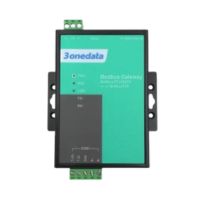
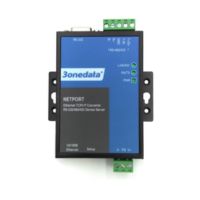
-P1-250x250h.png "GW1101-1D(RS-485) - Industrial Modbus RTU / ASCII gateway to Modbus TCP")
-3-250x250w.png "GW1101-1D(RS-485) - Industrial Modbus RTU / ASCII gateway to Modbus TCP")