








RSTP Protocol in Industry: Reliability and Performance with 3onedata IES618 and IES6300 Switches
- What is RSTP and why is it critical in industry?
- Industrial RSTP switch: Why choose 3onedata?
- IES618 Series – the most cost-effective way to build a managed RSTP network
- IES6300 Series – Gigabit performance and extended capabilities
- RSTP operation and configuration on 3onedata devices
- Practical applications: Where do IES618 and IES6300 RSTP switches fit best?
- Is it worth choosing IES618 and IES6300 switches?
RSTP (Rapid Spanning Tree Protocol) is a network redundancy mechanism used in industrial Ethernet networks. It enables loop elimination and fast failover to a backup path in the event of a link failure, ensuring communication continuity in automation and production systems. In the era of Industry 4.0 and IIoT (Industrial Internet of Things), Ethernet network stability is the foundation of production continuity. Any downtime generates huge costs, therefore it is crucial to use solutions that prevent network loops while ensuring lightning-fast link redundancy. This is where the RSTP protocol, mentioned at the very beginning, comes in—it has become a standard in modern automation.
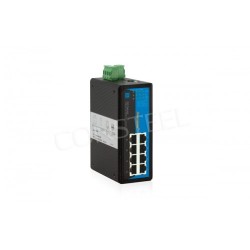
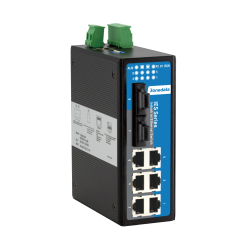
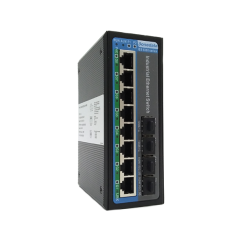
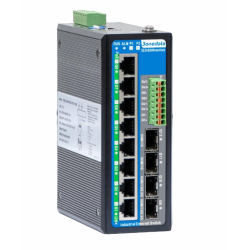
Discover practical aspects of implementing this technology using economical yet robust industrial solutions from 3onedata. Below you will learn how industrial switches supporting the RSTP protocol from the IES618 and IES6300 series work and what features they offer, such as IES618, IES618-3F, IES6300-8GT2GS2HS-2DI2DO-2P48 or IES6300-8GT2GS2HS-2P48.
What is RSTP and why is it critical in industry?
RSTP (i.e., Rapid Spanning Tree Protocol), defined in the IEEE 802.1w standard, is an enhancement of the classic STP protocol. Its main task is to eliminate loops in redundant topologies (e.g., rings or mesh structures) by logically blocking redundant paths.
In industry, where network reconfiguration time is critical, RSTP offers:
- Fast convergence: While traditional STP may need up to 50 seconds to restore connectivity, an RSTP-enabled switch can fail over to a backup path in under 1–5 seconds (depending on network size).
- Active handshake: The proposal-agreement mechanism allows devices to immediately negotiate port states without waiting for timers to expire.
- Support for redundant topologies: Enables building safe systems where a single cable failure does not paralyze the entire production floor.
| Protocol | Purpose | Typical topologies | Failover time | When to choose |
|---|---|---|---|---|
| RSTP IEEE 802.1w | Loop prevention and fast reconvergence in Layer 2 redundant networks. | Ring, tree, mesh redundancy (L2), mixed multi-vendor networks. | Typically 1–5 s (depending on network size and design). | When compatibility and straightforward redundancy in classic L2 topologies matter. |
| MSTP IEEE 802.1s | Multiple Spanning Tree: maps multiple VLANs to a smaller number of trees for better link utilization than STP/RSTP. | Multi-VLAN networks, larger L2 installations, traffic segmentation. | Similar to RSTP per instance, typically seconds (depending on design). | When you run multiple VLANs and want traffic control (load sharing) at the tree level. |
| ERPS ITU-T G.8032 | Carrier-grade ring protection—loop protection in a ring without “classic” STP. | Ring (Single/Ring), often in power, infrastructure, and wide-area networks. | Typically < 50 ms (depending on implementation and devices). | When you need very fast, deterministic ring protection and reconvergence. |
Industrial RSTP switch: Why choose 3onedata?
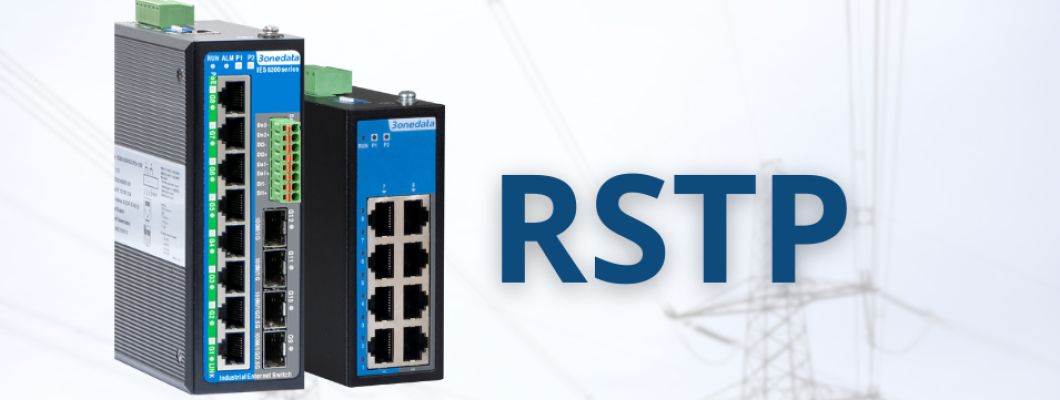
3onedata delivers solutions that combine industrial ruggedness with very attractive pricing. In the context of RSTP support, two product lines deserve special attention: the budget-friendly IES618 series and the more advanced IES6300 series.
IES618 Switch – the most cost-effective way to build a managed RSTP network
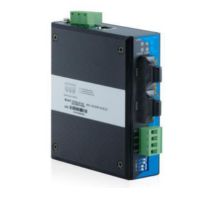
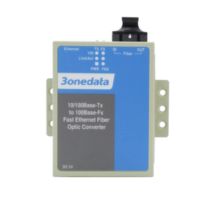
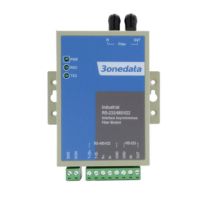
The 3onedata IES618 series is the foundation for smaller installations. It is an industrial RSTP switch that offers:
- 8 Fast Ethernet ports (optional fiber).
- Support for the proprietary SW-Ring protocol (recovery time < 20 ms) and standard RSTP for full compatibility with other brands.
- IP40 housing and a wide operating temperature range (-40°C to 75°C).
- Management via an intuitive WEB interface, making it an ideal choice for maintenance technicians.
IES6300 Series – Gigabit performance and extended capabilities
For systems requiring higher throughput (e.g., machine vision, IP monitoring), the IES6300-8GP2GS2HS-2P24-120W model offers:
- Gigabit ports (including 2.5G SFP slots).
- Support for STP/RSTP/MSTP and advanced functions such as ERPS (G.8032).
- Optional PoE/PoE+ power, enabling direct powering of cameras and sensors.
- Full Layer 2+ features, including VLAN, QoS, and IGMP Snooping.
RSTP operation and configuration on 3onedata devices
Implementing RSTP on 3onedata switches is straightforward, which is crucial in a dynamic industrial environment. Following the user manual for IES618, the process comes down to a few steps in the WEB panel (default IP: 192.168.1.254):
- Protocol activation: In the "Redundancy Configuration" tab, select RSTP mode.
- Priority setting (Bridge Priority): For the switch that should be the network "core" (Root Bridge), set the lowest value (e.g., 4096). Leave the default 32768 for the remaining switches.
- Edge port configuration (Edge Ports): Ports connected directly to PLC controllers or HMI panels should be marked as "Edge Port". This makes them move to Forwarding immediately after connection, preventing delays in end-device communication.
- Status monitoring: In the diagnostics section, you can check which port is currently blocked (Discarding) and which is forwarding traffic.
The table below walks you through the consecutive steps to configure RSTP on the 3onedata IES618 in a clear web interface, so you can enable redundancy and avoid network loops.
| Step | What to do | Where in the menu | Result / why |
|---|---|---|---|
| Step 1: Login |
| Device WEB panel | Access to STP/RSTP/MSTP configuration and redundancy settings. |
| Step 2: Enable RSTP |
| Network Configuration → STP/RSTP/MSTP | Enables loop prevention and fast reconvergence mechanisms. |
| Step 3: Root Bridge |
| STP/RSTP Settings → Bridge Priority | Stable topology: one network “core” makes reconvergence predictable. |
| Step 4: Port Settings |
| STP Port Configuration / Port Settings | Eliminates delays on PLC/HMI ports and reduces the risk of incorrect topology detection. |
| Step 5: Save to FLASH |
| System Management → Save Configuration | Without saving to FLASH, settings may be lost after a reboot / power outage. |
Tip: after deployment, check diagnostics to see which port is in Discarding (blocked) state and which one is Forwarding (passing traffic).
Practical applications: Where do IES618 and IES6300 RSTP switches fit best?
Thanks to the combination of low price and high functionality, 3onedata RSTP-capable switches are used in:
- Wastewater treatment plants and pumping stations: Where distances between facilities require fiber redundancy.
- Smart street lighting (Smart City): The IES618 series enables low-cost ring topology deployments.
- Power and Smart Grid: IES6300 switches, thanks to high resistance to electromagnetic interference, perform well in transformer substations.
Is it worth choosing IES618 and IES6300 switches?
Choosing an industrial RSTP switch does not have to involve huge expenses. The IES618 and IES6300 series from 3onedata, available at Consteel Electronics, prove that a stable and secure redundant network is available for every budget. Using an open standard such as RSTP ensures your infrastructure remains interoperable and ready for future expansion—whether you use Siemens, Rockwell, or Schneider Electric controllers.
| Model | Ethernet ports | Fiber / SFP ports | I/O | Power supply | Temperature / IP |
|---|---|---|---|---|---|
| IES6300-8GT2GS2HS-2DI2DO-2P48 | 8x 10/100/1000BaseT(X) | 4x SFP (10/100/1000Base) | 2 DI + 2 DO (optional) | 12~48VDC (PoE variant: 48VDC, budget up to 240W) | -45°C to 75°C / IP40 |
| IES6300-8GT2GS2HS-P220 | 8x 10/100/1000BaseT(X) | 4x SFP (10/100/1000Base) | — | 220VAC/DC | -45°C to 75°C / IP40 |
| IES6300-8GT2GS2HS-2P48 | 8x 10/100/1000BaseT(X) | 4x (SFP / FX depending on variant; the series also supports 2.5G SFP) | 2 DI + 2 DO (optional in the series) | 12~48VDC (PoE variant: 48VDC; budget up to 240W) | -45°C to 75°C / IP40 |
| IES618-3F | 5x 10/100BaseT(X) | 3x 10/100Base-FX (fiber; SM/MM) | — | 12~48VDC (redundant) | -40°C to 75°C / IP40 |
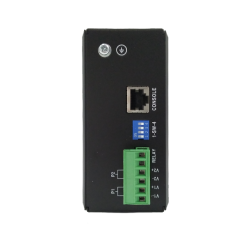
| IES618 | 8x 10/100BaseT(X) | — (series variants may include FX ports) | 1x relay output | 12~48VDC (redundant) | -40°C to 75°C / IP40 |