








Serial Device Server RS232 and RS485 – Technical Guide
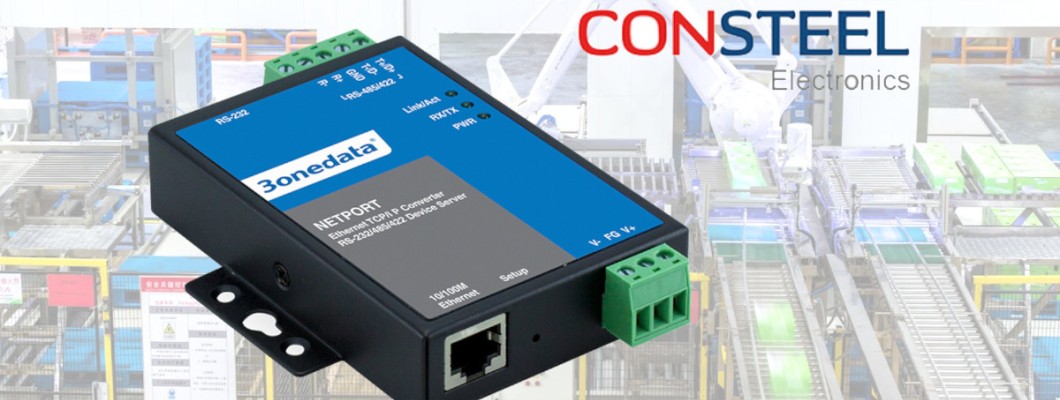
Serial device servers, also referred to as RS232/RS485 to Ethernet converters, are core building blocks in modern industrial automation, BMS and infrastructure projects. They provide reliable communication between legacy serial interfaces and IP networks, allowing you to connect existing field devices to Ethernet without changing their logic.
Table of contents
- What is a serial device server?
- Converter vs serial device server: terminology
- Classification and selection
- Serial communication parameters
- Connectors and installation considerations
- Network interfaces: Ethernet, fiber, wireless
- Operating modes and transport protocols
- Configuration: Web UI, terminal and SSH
- Security, reliability and concurrent connections
- Industrial requirements: enclosure, EMC, temperature
- Power supply and power consumption
- Use cases and model selection (Consteel offer)
- Summary and next steps
What is a serial device server?
A serial device server connects devices using RS232, RS485 or RS422 to an Ethernet network (or, in some designs, to fiber or wireless connectivity). In practice, it is a robust “serial over IP” gateway that encapsulates serial data into TCP/UDP traffic and exposes the serial port(s) to industrial applications such as SCADA, BMS or custom software tools.
In Consteel Electronics projects, serial device servers are typically used to modernize existing installations, enable remote access, centralize diagnostics and simplify system architecture by moving from point-to-point serial wiring to an IP backbone.
RS232/RS485 to Ethernet converter vs serial device server: terminology
In day-to-day engineering and purchasing, the terms “RS232/RS485 to Ethernet converter” and “serial device server” are often used interchangeably. In most modern industrial products, both labels describe the same class of devices: industrial hardware that bridges serial interfaces to an IP network.
“Converter” emphasizes the interface change (serial to Ethernet), while “serial device server” emphasizes the networked nature of the device: session handling, multiple operating modes, remote management, and in some models, security features such as SSH. In the rest of this article, both terms refer to the same industrial solution category.
Serial device server classification – how to select the right device
Selection should start with three fundamentals: number of serial ports, serial interface type (RS232/RS485/RS422 or 3‑in‑1), and network connectivity (single/dual Ethernet, fiber, or wireless variants). Environmental requirements (temperature, EMC, vibration) and security needs (e.g., SSH) complete the specification.

Classification by number of serial ports
- Single-port devices for point-to-point modernization, e.g. NP301.
- Two-port devices for compact cabinets and small field stations, e.g. NP302T.
- Multi-port devices for centralized communication in larger systems: NP314T, NP318T, NP5100-2T-16DI, NP5100-2T-32DI.
Classification by serial interface type
- RS232 – point-to-point interface, typical for legacy instruments and controllers.
- RS485 – bus / multidrop interface, widely used in automation for longer distances and multiple devices per bus.
- RS422 – differential point-to-point interface for high noise immunity.
- 3‑in‑1 ports – software-selectable RS232/RS485/RS422 on the same physical port for maximum flexibility.
Serial communication parameters
Industrial serial device servers allow full control over the serial line configuration to match the connected equipment. The key settings are baud rate, data bits, stop bits, parity and flow control. Incorrect serial framing is one of the most common reasons for unreliable communication during commissioning.

Baud rate
Typical supported baud rates range from 300 bps up to 115200 bps, including commonly used values such as 1200, 2400, 4800, 9600, 19200, 38400 and 57600 bps. Always match the device documentation; too high a rate can increase errors, while too low a rate increases latency.
Data bits, stop bits and parity
Most applications use 8 data bits, 1 stop bit and no parity, but industrial installations may require other combinations. Serial device servers typically support 5/6/7/8 data bits, 1/1.5/2 stop bits and parity modes such as None, Even, Odd, Space or Mark.
Flow control
Depending on the model and port type, flow control options may include hardware methods such as RTS/CTS, DTR/DSR and software flow control XON/XOFF. Flow control is especially useful where bursts of data occur or devices operate at different speeds.
How many devices on RS232 vs RS485?
RS232 is a point-to-point interface (one device per port). RS485 is a bus interface and is commonly designed for up to 32 nodes per segment; with appropriate transceivers and design practices, higher node counts (e.g., 128) may be achievable. Bus length can reach up to 1200 m depending on cable, baud rate and installation quality.
Serial port connectors and installation considerations
Connector type impacts commissioning speed, cable management and long-term reliability in harsh environments. Industrial serial servers may use DB9 (D‑Sub), terminal blocks, RJ45-style serial pinouts or mixed layouts depending on port density and intended use.

DB9 (D‑Sub)
DB9 connectors are common for RS232 and some 3‑in‑1 ports. They are compatible with many existing installations and ready-made cables, but in vibrating environments the connection should be secured mechanically.
Terminal blocks
Terminal blocks are frequently used for RS485/RS422 in industrial control cabinets. They provide robust wiring, better resistance to vibration, and help implement proper RS485 practices such as line topology, termination and polarity.
RJ45 and high‑density layouts
Some high‑density multiport servers expose serial channels via RJ45-style connectors to simplify patching and reduce panel footprint. Regardless of connector type, correct shielding, grounding and RS485 termination are critical for stable communication.
Network interfaces – Ethernet, fiber optics and wireless communication
The network side determines how the serial data is transported through the plant. Industrial serial device servers typically provide 10/100Base‑T Ethernet via RJ45; selected families add dual Ethernet for segmentation or redundancy. For long distances or high EMI areas, fiber variants are an excellent choice.
Ethernet (RJ45) and dual Ethernet
10/100Base‑T is sufficient for serial traffic even with multiple ports, since serial throughput is small compared to Ethernet capacity. Dual Ethernet models (for example in advanced ranges) can separate OT/IT networks or implement redundant uplinks, depending on topology.
Fiber optics
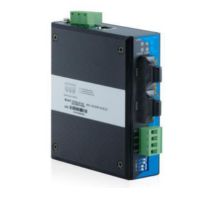
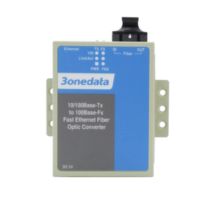
Fiber eliminates issues caused by EMI, ground potential differences and surges. It is particularly valuable in heavy industry, substations, rail environments and long-distance links. In Consteel’s offer, a representative example is IMC100-2T1F-1D.
Wireless connectivity
Wireless serial servers can be used where cabling is impractical. In industrial environments, wired Ethernet or fiber remains the preferred option for deterministic behavior, stability and noise immunity.
Operating modes and transport protocols of serial device servers
Industrial serial servers support multiple modes to match the system architecture: transparent TCP tunneling, UDP-based transport, and Virtual COM mapping for legacy applications. Mode selection defines who initiates the connection, how sessions are handled and how many clients can access a port.

Virtual COM (VCOM)
Virtual COM maps a remote serial port to a COM port in Windows/Linux, so software behaves as if the device were connected locally. This is one of the most common modernization methods when the original application was not designed for IP communication.
TCP Server / TCP Client
In TCP Server mode the device listens for incoming connections from an application. In TCP Client mode it initiates a connection to a defined host. TCP Client is useful for central data collection and some NAT scenarios.
UDP and multipoint transmission
UDP modes can reduce overhead and latency for certain closed networks. Because UDP provides no retransmission, it should be used consciously where the application can tolerate loss or implements its own reliability mechanisms.
Serial device server configuration – web interface, terminal and SSH
A key advantage in industrial deployments is a consistent configuration approach across the product family. Whether you configure a compact single-port device or a multiport platform, the workflow is similar: set IP networking, configure serial parameters, select operating mode, and verify sessions and diagnostics.
Web-based configuration
The embedded Web UI allows local or remote configuration from any workstation in the network. Typical capabilities include IP settings, serial port configuration, mode selection (VCOM/TCP/UDP), session monitoring and diagnostic status.
Terminal access and SSH
For security-focused environments and automated rollouts, selected models support command-line configuration and secure remote access via SSH. This is especially relevant for advanced devices such as NP5000.
Security, reliability and concurrent connections
In OT networks, serial servers are infrastructure elements that must run 24/7 and meet access control requirements. Depending on model and mode, a serial server can allow multiple TCP clients to connect to a single serial port for monitoring and diagnostics while maintaining controlled access.
Concurrent TCP clients per serial port
Many industrial serial servers support multiple concurrent TCP clients per serial port (the exact number depends on model and configuration). This is useful when an engineering workstation, SCADA and a logging service need access to the same serial channel.
Access control and security features
- password-protected Web UI and management access,
- user roles and limited privileges (depending on model),
- network access filtering (IP/MAC) where available,
- secure remote management with SSH for selected devices,
- session monitoring and diagnostics for maintenance teams.
Operating conditions, enclosure and industrial standards
Industrial serial device servers must handle harsh environments: temperature extremes, high humidity, vibration and electromagnetic noise. That is why industrial-grade designs use metal enclosures, DIN-rail mounting and compliance with EMC requirements (emission and immunity).
Temperature and humidity
Industrial models typically cover wide operating temperatures (often from -40 °C up to +75 °C or +85 °C, depending on the device), and allow high humidity levels up to 95% RH non-condensing.
Enclosure and DIN-rail mounting
Metal enclosures improve mechanical robustness and provide electromagnetic shielding. DIN-rail mounting is standard for control cabinets, making installation and service straightforward while keeping wiring organized.
EMC/EMI/EMS, shock and vibration
Compliance with EMC requirements covers both emissions (EMI) and immunity (EMS). Shock and vibration resistance is critical in heavy industry, transportation and infrastructure deployments where mechanical stress is expected.
Certifications
Industrial serial servers in Consteel’s portfolio typically meet market requirements such as CE and FCC compliance, supporting deployment in professional installations and regulated projects.
Power supply and power consumption of serial device servers
Power integration matters in control cabinets. Industrial serial device servers usually support wide DC ranges (commonly 12–48 VDC, and selected designs also accept AC variants), enabling compatibility with standard industrial power supplies and UPS-backed systems.
Power consumption remains low and depends mainly on port count, network activity and the number of active sessions. Devices are designed for 24/7 operation with stable thermal behavior.
Typical applications and selecting a serial device server from Consteel
Below are typical scenarios and suitable device groups from Consteel Electronics. The goal is to match the hardware to the scale of installation, required interfaces and environmental constraints.

Single device modernization (RS232/RS485 to Ethernet)
For connecting a single serial device to an IP network, compact single-port solutions such as NP301 are a practical choice.
Mid-size systems and RS485 buses
For several to a dozen serial channels, multiport servers such as NP314T and NP318T help centralize communication and simplify network design.
Large installations: high port density (16/32 ports)
In large automation projects with many serial channels, high-density platforms like NP5100 and NP5100-32DI provide scalable architecture and advanced management capabilities.
High-EMI areas and long-distance links (fiber)
Where EMI immunity and galvanic isolation are priorities, fiber-capable devices such as IMC100-2T1F-1D are a strong option.
Summary and next steps
Serial device servers (RS232/RS485 to Ethernet converters) are essential for integrating legacy serial equipment into IP-based industrial networks. With the right combination of serial interfaces, operating modes, network connectivity and industrial robustness, they provide a stable foundation for SCADA, BMS and infrastructure modernization.
Need technical support, sizing help or want to validate a device in your application? Contact Consteel Electronics and our engineers will help you select the optimal model and support you during commissioning: https://consteel-electronics.com/contact-us.