








Understanding Modbus Gateways: A Comprehensive Guide
Understanding Modbus Gateways: A Comprehensive Guide
Table of contents
- Why Your Industrial Equipment Speaks a Different 'Language' Than Your Laptop
- Turning Handwritten Letters into Emails: How RTU to TCP Conversion Works
- Three Ways a Modbus IP Gateway Saves You Money and Travel Time
- Choosing and Setting Up Your Gateway: A Beginner's Checklist
- Building Your Data Bridge: A Simple 3-Step Plan for Industrial Connectivity
Imagine trying to interview a candidate who speaks a completely different language; you need their information, but communication is impossible without help. Industrial machines often face this exact dilemma because they "speak" a specialized digital language called a protocol that modern computers rarely understand.
Consider a commercial solar array tracking energy production on a business rooftop. While these systems generate vital data, they typically rely on older communication standards that cannot plug directly into the web. A Modbus gateway acts as the essential interpreter here, translating the machine’s raw signals into a format your laptop or smartphone recognizes.
In practice, this technology bridges the gap between rugged legacy hardware and today's cloud dashboards. By connecting a PLC to an Ethernet network through industrial protocol translation, owners can finally monitor equipment remotely, turning silent achinery into smart, communicative assets.

Why Your Industrial Equipment Speaks a Different 'Language' Than Your Laptop
Most of us expect to plug a blue cable into a wall to get online, but rugged equipment like solar inverters rarely use these standard connections. Instead of the internet port found on your laptop, these industrial workhorses usually rely on an older method called Serial Communication.
Think of the data coming from these machines as a specific language called Modbus RTU. Just as two people need to agree on grammar to understand each other, devices use Modbus rules to organize measurements. While this method is reliable for machinery, your office computer simply doesn't speak it.
Physical wiring differs too. While home networks use Ethernet cables, industrial systems typically transmit Modbus messages over a simple two-wire standard known as RS485. It functions like passing a handwritten note; effective over long distances, but physically incompatible with the digital network ports on your computer.
Replacing these durable machines just to get connectivity is expensive. You need to keep the equipment you trust while gaining modern visibility. This is where an RS485 to Ethernet converter, also known as a serial to ethernet device server, becomes the critical bridge between the two worlds.
Turning Handwritten Letters into Emails: How RTU to TCP Conversion Works
Imagine your industrial equipment is writing data on a piece of paper. This represents the older "RTU" language. To get that information onto your computer network, it needs to be placed inside a digital envelope and stamped for delivery. This process is known as Modbus RTU to TCP conversion, effectively turning a slow, physical note into a fast, modern email.
Just as every house needs a street number to receive mail, every device on a modern network needs a unique digital location. By configuring an IP address for serial devices through the gateway, you give your old machinery a distinct identity on your office network. This allows standard routers to find the machine and deliver its data alongside your regular internet traffic.
A Modbus TCP to Modbus RTU gateway acts like a tireless postmaster between your factory floor and your office. It manages this translation continuously through three steps:
Listening: It receives the raw data signals from your machine.
Packaging: It wraps that data into "packets"—safe containers for traveling over Ethernet cables.
Sending: It transmits the packaged message to your monitoring software (SCADA) for viewing.
This translation happens instantly, allowing you to watch multiple machines at once from a single screen. With the data now flowing freely to your desk, you can stop focusing on connection issues and start looking at the bigger picture of efficiency.

Three Ways a Modbus IP Gateway Saves You Money and Travel Time
Keeping track of equipment spread across a large property or multiple sites usually leads to one inevitable cost: expensive travel time. Instead of physically driving to a remote solar panel or water pump to check a gauge, a Modbus IP gateway acts as a permanent set of remote eyes. It continuously collects data and sends it to your office, meaning you only need to send a technician when there is an actual problem, rather than for routine status checks.
Speed is your second major advantage. Without a gateway, you often do not know a machine has stopped working until someone stumbles upon it. By connecting your devices to the network, you receive instant notifications if a heater fails or a generator creates a fault code. This immediacy drastically reduces the time spent troubleshooting industrial communication errors, allowing you to address small glitches before they spiral into total equipment failure.
Deploying a high-speed industrial network bridge transforms your daily workflow from reactive to proactive:
Before: Manual clipboard checks in bad weather; errors often discovered days late.
After: Automatic alerts delivered to your phone; issues resolved minutes after occurring.
With the financial and time-saving benefits clear, the next logical step is selecting the hardware that fits your specific project requirements.
Choosing and Setting Up Your Gateway: A Beginner's Checklist
Selecting the right hardware starts with a simple headcount of your equipment. If you are connecting a single legacy generator, a basic RS232 to Modbus TCP adapter is likely all you need to bridge that specific machine to your network. However, if you are monitoring a row of solar inverters or a full factory floor, you will need a multi-port gateway that acts like a network power strip, handling traffic from several devices simultaneously.
Location is just as critical as quantity because different cables have different reach limitations. While the maximum distance for RS485 wiring can stretch up to 4,000 feet (about 1.2 kilometers), older connection types often struggle to send data further than 50 feet. Planning your layout effectively ensures you do not purchase a gateway that requires moving heavy machinery just to plug it in.
Connectivity brings convenience, but it also requires safety measures to keep your operations private. Securing industrial control system networks prevents unauthorized access to your machinery, so always prioritize gateways that offer password protection. Follow this quick checklist to buy with confidence:
- Count your machines: Do you need one port or four?
- Check the distance: Are devices close together or spread across a field?
- Verify the 'plug' type: Does your machine use a pin-connector or bare wires?
- Plan for a password: Ensure the device has basic security features.
Building Your Data Bridge: A Simple 3-Step Plan for Industrial Connectivity
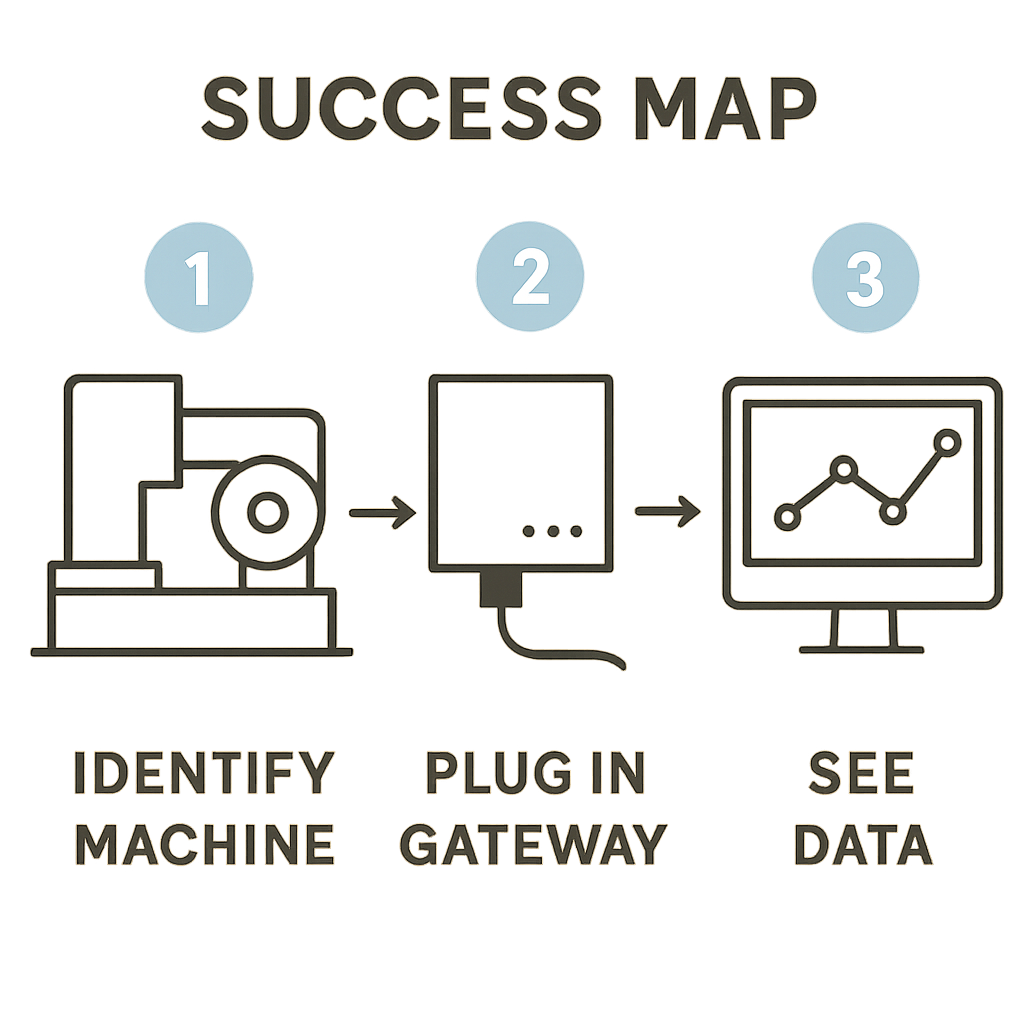
You no longer need to view your older machines as silent, isolated islands. A Modbus gateway provides the key to unlocking the valuable data trapped inside them. This device acts as your essential translator, transforming raw mechanical signals into clear, actionable conversations that your modern computers can understand.
Begin your connectivity project by simply inventorying which devices you want to monitor remotely. The gateway handles the complex Modbus protocol data mapping in the background, making the process of integrating legacy equipment with SCADA systems feel as logical as connecting a smart home device. You don't need an engineering degree to start; just a clear idea of what you want to measure.
The days of walking the floor to manually check meters or climbing roofs to inspect panels are behind you. With this digital bridge in place, you can confidently bring vital information directly to your fingertips. Trust in this proven technology and turn your silent equipment into vocal, active partners in your business’s success.
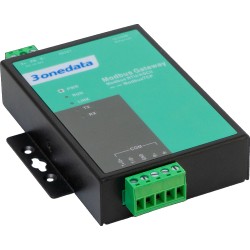
-P1-250x250h.png "GW1101-1D(RS-485) - Industrial Modbus RTU / ASCII gateway to Modbus TCP")
-3-250x250w.png "GW1101-1D(RS-485) - Industrial Modbus RTU / ASCII gateway to Modbus TCP")
-TB-1-250x250h.png "GW1102-2D(RS-485) - Industrial Modbus RTU / ASCII gateway to Modbus TCP, 2x RS-485/422")
-TB-3-250x250h.png "GW1102-2D(RS-485) - Industrial Modbus RTU / ASCII gateway to Modbus TCP, 2x RS-485/422")
-DB-P(12-48VDC)-P-1-250x250h.png "GW1101-1DI(3IN1) Industrial Modbus RTU / ASCII gateway to Modbus TCP")
-DB-P(12-48VDC)-1-1-250x250h.png "GW1101-1DI(3IN1) Industrial Modbus RTU / ASCII gateway to Modbus TCP")
-DB-P(12-48VDC)-250x250w.png "GW1102-2DI(3IN1) - Industrial Modbus RTU / ASCII gateway to Modbus TCP, 2 RS-232/485/422 ports")